


Voice Changer App - Auto Tuner
4.01.67K Reviews
App Specs
- Version
- 1.45.4
- Updated On
- License
- Free
- Downloads
- 10,000,000+
- Developer
- ElQube Tech
- Categories
- Music & Audio
- Platform
- Android, iOS
Screenshots
 Analysis by AppCompare
I think the best way to judge a voice changer is to ask what you want to make with it. A quick character voice for a recording, a tuned vocal idea, and a reliable live-call effect are different jobs, even if they all start with a microphone. Voice Changer App - Auto Tuner sits in the music and audio space, and I find it most useful as a casual place to experiment with recorded vocals rather than as a full production desk.
Start with a small creative goal
Before you record, decide what the voice needs to do: sound playful, stand apart from the background, or give a short line a different character. That choice makes it easier to judge an effect by whether it serves the clip, not simply by how dramatic it sounds on its own. For a podcast intro or a short social post, a little processing can be enough; piling on transformations may make the words harder to understand.
A practical first test is to record one sentence in your normal voice and listen back before changing anything. Then try the same sentence with an effect. Keeping the wording and delivery consistent helps me hear what the processing actually changes. It also gives me a useful reference if I am building a character voice or trying to keep several lines sounding alike.
What kind of creator will enjoy it?
The app is an approachable option for someone who wants to try vocal effects without beginning with a complicated audio workstation. I can see it appealing to a hobby podcaster adding a brief character moment, a creator making a humorous voice clip, or a musician testing a rough vocal idea. ElQube Tech has positioned it around transforming vocals, and its straightforward starting point suits quick experiments better than a long, technical editing session.
It is less suitable if your priority is meticulous mix control, detailed multitrack editing, or a polished final master. In that situation, I would reach for a dedicated audio editor or digital audio workstation and use a voice changer only as one step in a wider workflow. The trade-off is simple: a focused app can be easier to approach, but it should not be mistaken for a complete recording and publishing setup.
First Impressions
Downloading and setting up the Voice Changer App - Auto Tuner was a breeze. The interface is super user-friendly, which is always a plus in my book. No one likes a cluttered screen, right? As soon as you open the app, you're greeted with a clean layout and all the options neatly organized. It’s intuitive enough that even if you’re diving into voice modding for the first time, you won’t feel lost.
Features That Stand Out
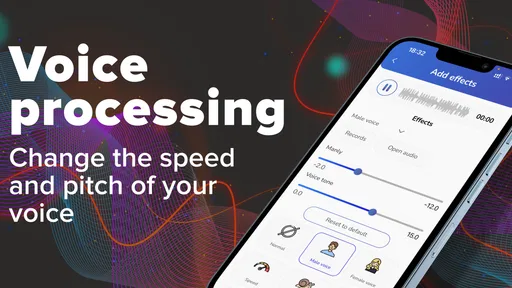
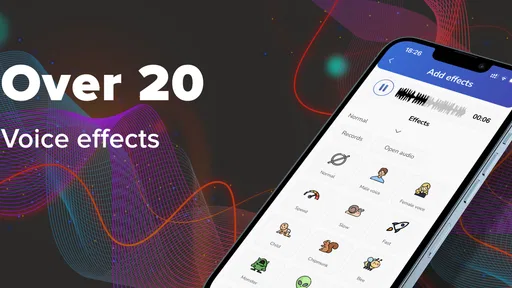
Alright, let's talk features. This app is packed with a variety of voice effects that range from the hilarious to the downright bizarre. Want to sound like a deep-voiced announcer or maybe a chipmunk? It’s got you covered. But what really caught my attention is the auto-tuning function. It’s like having your personal T-Pain moment every time you speak. You can tweak your voice with so much precision that it feels like you’re producing a track in a professional studio.
Worth Reading Before You Choose

EA SPORTS FC Mobile 26 Is a Bigger Football Game, but It Takes Time

Flipboard Shows What News Apps Must Do Beyond the Feed

Switching to Android Auto Means Rethinking Your Driving Routine

Google Calendar Makes a Crowded Week Easier to Manage

Ludo King Makes the Most of the Minutes Between Plans

Baby Panda World Brings Quick Play to Modern Phones, but Its Game Library Feels Busy
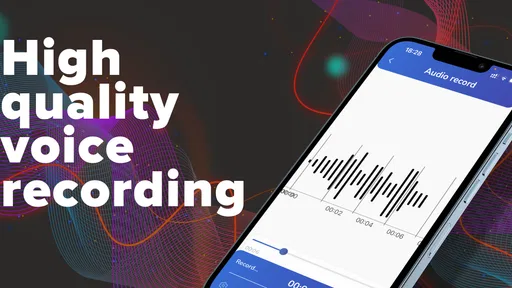
Another cool feature is the ability to customize your voice effects. You can mix and match different settings to create something uniquely yours. Plus, there’s a record and playback option, so you can hear how your voice changes in real-time. It’s both fun and useful if you’re prepping for a prank call or an online gaming session.
Making a clip that holds together
For a short creative project, I would work in passes rather than trying to perfect everything at once. First, settle on a clear spoken or sung take; next, try a restrained effect; finally, replay the whole line and check that the important words still come through. A transformation that sounds entertaining on a single syllable may become tiring across a full paragraph, so listening to the complete recording matters more than judging a few seconds.
One useful trade-off is that stronger processing can make a voice more distinctive while reducing its natural warmth or clarity. If the result is meant to carry instructions, a personal message, or a podcast detail, intelligibility should win over novelty. For a fictional character or a quick joke, the opposite balance may be exactly what you want. I would keep a clean original take when possible, so I can revisit the idea without having to perform the line again.
Practical Uses
So, what can you actually do with this app? Besides the obvious fun stuff, it’s great for content creators. If you’re into podcasting or streaming, changing your voice can add a layer of creativity to your content. Imagine captivating your audience with unexpected characters or enhancing storytelling elements with diverse voice effects. It's like adding an extra spice to your audio content.
For gamers, it’s a game-changer (pun intended). Altering your voice in-game can bring a whole new level of immersion and fun. Just imagine the reaction of your teammates when your voice suddenly sounds like a medieval knight or a futuristic robot.
A realistic everyday workflow
Picture a creator with a short recording to finish after work: they have an idea for a playful intro, but only a few minutes to test it. I would record the line in a quiet spot, listen to the unprocessed version, then try a couple of different treatments and compare the playback. If one makes the words muddy, I would return to a lighter effect rather than keep adjusting blindly. That small comparison step helps avoid choosing an effect just because it sounds surprising at first.
For a podcast, I would use a transformed voice sparingly—perhaps for a recurring character or a brief transition—then keep the main narration natural. In a gaming context, I would test the effect in a low-stakes recording before relying on it during a live session. This is a more dependable way to find out whether the voice is understandable and whether the timing feels right, without making a whole episode or match depend on an untested setup.
How it compares with other audio tools
Compared with a conventional audio editor, a voice changer is appealing because the creative question is immediate: how does this vocal sound when transformed? A full editor is usually the better choice when I need to arrange several tracks, balance music against speech, or finish a carefully controlled mix. Compared with simply recording a voice note, this app offers a more playful route to character and vocal texture, but the extra processing also asks me to listen more critically.
That distinction matters at handoff time. A changed vocal can be a useful ingredient for a larger project, but I would still review the finished clip in the context where it will be heard. A line that seems clear in headphones may compete with music or sound less natural on a phone speaker. If the goal is a polished podcast or song release, I would treat the app as an idea-making or effect step, then use a dedicated editor for final levels, arrangement, and delivery.
Room for Improvement
While the app is pretty fantastic, there are a couple of areas that could use some tweaking. For instance, some of the more complex effects can be a bit resource-intensive. If you’re using an older device, you might notice a slight lag. Also, while the free version offers a good variety of effects, unlocking the full suite requires a purchase. It’s not a deal-breaker, but something to keep in mind if you're on a budget.
Cost is worth considering before building a regular workflow around paid effects. The app is free to start, while optional in-app purchases range from about fifty cents to around one hundred and thirty dollars per item. I would explore the free options first and decide whether a specific addition solves a real creative need; there is little value in paying for more choices if I only use one or two effects. Its age rating is Everyone, which makes it broadly accessible, though I would still use ordinary judgement when sharing altered audio or involving other people in a joke.
Compatibility and Performance
The app performs smoothly on both Android and iOS platforms. I tested it on a mid-range Android device and an iPhone, and thankfully, there were no major hiccups. It’s optimized well to ensure that even when you’re using multiple effects, the performance remains stable.
As for compatibility, it integrates seamlessly with most social media and communication apps. Whether you’re on a Zoom call, streaming on Twitch, or just sending a voice note on WhatsApp, you can easily switch up your voice in real-time. That’s a big win for those who love to keep their interactions lively and engaging.
Questions worth settling before you commit
Will it work on an older phone? The minimum Android requirement is version 7.0, but demanding effects may still feel less responsive on older hardware, so I would test a short recording before planning a longer session. Is it only for jokes? No: vocal experiments, brief podcast flourishes, and character work are sensible uses too, provided the effect supports the message rather than obscuring it.
Can it replace a proper music-production app? I would not treat it as a replacement when a project needs detailed arrangement or mastering. Is there a free way to try it? Yes, it is free to download, with optional purchases for additional content or capabilities. And if the main goal is a natural, untouched voice, a standard recorder is the simpler choice; processing is useful only when it contributes something you actually want.
Who should choose it—and who should pass
I would recommend giving it a try if you enjoy experimenting, need a quick character vocal, or want an accessible way to hear how effects change a spoken or sung idea. It can also suit a creator who wants to sketch a sound before moving the best version into a larger editing workflow. The app has reached over ten million installs and holds an average rating of 4.0 from around ninety thousand ratings, which suggests broad interest, though those figures do not tell me whether it fits any one person’s project.
I would skip it if you need dependable studio-style control, a complete publishing pipeline, or a consistently natural voice with no processing. For live use, I would also avoid assuming every effect will suit every device or conversation; a quick rehearsal is more sensible than discovering a distracting delay in front of an audience. The current version is 1.34.0, and the app was released on November 5, 2019, so it has had time to establish itself as a recognizable option in this niche.
Conclusion
All in all, the Voice Changer App - Auto Tuner is a fun, versatile tool that’s more than just a novelty. Whether you're a content creator, a gamer, or someone who just loves to experiment with sound, it offers a wide range of possibilities. With its easy-to-use interface and robust features, it’s definitely worth a download. Just be ready for some serious fun and maybe a few surprised reactions from your friends!
My recommendation is to approach it as a compact creative tool: start with a clear recording, compare the effect against your original, and keep the processing only when it makes the clip better. ElQube Tech’s app is an easy entry point for vocal play, especially if you value quick experimentation over deep editing. For the right short-form idea, that balance is appealing; for a demanding finished production, I would pair it with a more complete audio editor.
Pros
- Easy-to-use interface for quick voice adjustments.
- Wide variety of voice effects available.
- Real-time voice modulation feature.
- Supports exporting to multiple formats.
- Minimal lag during audio processing.
Cons
- Some features require in-app purchases.
- Occasional crashes on older devices.
- Limited compatibility with certain audio files.
- Ads can be intrusive during use.
- High battery consumption when in use.
FAQs for Voice Changer App - Auto Tuner
What features does the Voice Changer App - Auto Tuner offer?
The Voice Changer App - Auto Tuner provides a variety of features, including real-time voice modulation, a range of voice effects, and an auto-tuning function for creating music tracks. Users can also customize their own audio effects and share recordings directly through social media platforms. This makes it a versatile tool for both casual fun and more serious audio projects.
Is the Voice Changer App - Auto Tuner compatible with all devices?
The app is designed to be compatible with most Android and iOS devices, but it requires a recent operating system version for optimal performance. Users should ensure their device meets the minimum specifications, such as sufficient RAM and storage space, to avoid any lag or crashes during use. Always check the app’s requirements in the app store before downloading.
Does the app offer in-app purchases or subscriptions?
Yes, the Voice Changer App - Auto Tuner includes in-app purchases for additional features and effects. A subscription model is also available, offering premium access to a larger library of voice effects and auto-tuning options without ads. Users can choose between a monthly or yearly subscription plan depending on their usage needs.
How user-friendly is the Voice Changer App - Auto Tuner for beginners?
The app is designed with a user-friendly interface, making it accessible for beginners. It includes tutorials and a help section to guide new users through its features. Simple navigation and intuitive controls allow users to easily apply voice effects and auto-tune their recordings, making the app suitable for users of all skill levels.
What privacy measures does the Voice Changer App - Auto Tuner implement?
The Voice Changer App - Auto Tuner takes user privacy seriously. It does not store personal recordings without consent and offers secure cloud storage options. The app's privacy policy is transparent about data usage and provides settings for users to control their privacy preferences. Always review the privacy policy to understand how your data is managed.


